
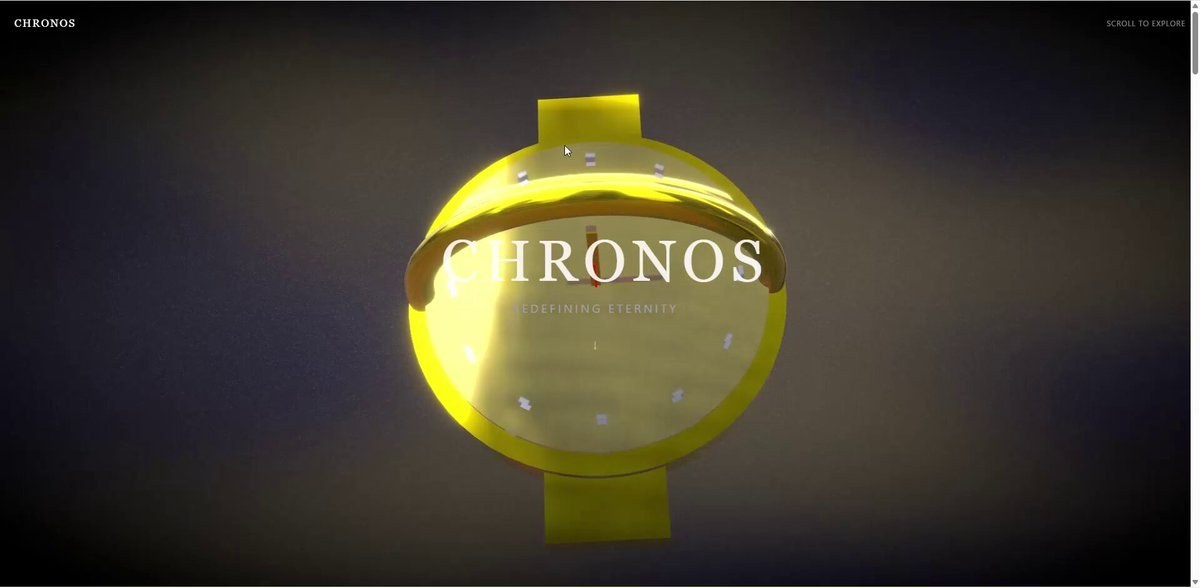
صفحه تجربه محصول ۳بعدی ساعت لوکس
چگونه با طراحی ۳بعدی و شیدرهای خاص، یک صفحه وب لوکس و مدرن برای ساعت بسازیم؟
چرا جواب میدهد
- استفاده از تکنولوژیهای مدرن وب (Next.js، Three.js، React Three Fiber) برای تعامل بالا و گرافیک پیشرفته
- شیدرهای سفارشی GLSL که جلوههای نوری و متریال واقعی و جذاب ایجاد میکنند
- طراحی بخشهای اسکرول با انیمیشنهای دقیق که تجربه کاربری منحصربهفردی میسازد
✏️ برای محصول خودتان، بخشهای انیمیشن و شیدرها را با ویژگیهای خاص کالا یا برند تغییر دهید
پرامپت
Design a 3D product experience page for a luxury wristwatch.
**Target users:** wealthy customers, watch enthusiasts, and business people aged 30–50.
**Brand tone:** Luxury × Tech (a modern, sophisticated high-end feel).
Scroll experience (5 sections):
Hero section – the wristwatch slowly appears from darkness into light while rotating. Implement holographic effects and Fresnel reflections with custom shaders.
Detail zoom – close-up of the dial. Use GLSL to achieve metallic reflections, parallax mapping, and real-time glossiness.
Mechanism breakdown – the watch disassembles and the internal movement floats in space. Use a displacement shader for an energy-field effect and add glow effects to each part.
Material experience – switch between different material variations. Express metalness, glass refraction, and the matte texture of titanium with PBR shaders in a physically based way.
Ending – the watch reassembles, with an abstract gradient mesh background made with a custom shader. Apply post-processing such as bloom and depth of field.
**Tech stack:** Next.js 15 + Three.js + React Three Fiber + GLSL (custom shaders) + react-postprocessing + Lenis.
Shader requirements:
Fresnel reflection shader (rim-light effect)
PBR material shader (roughness, metallic, AO)
Holographic shader (iridescent interference effect)
Displacement shader (waving and distortion effects)
Custom background shader (gradient noise)
Post-process: Bloom, ChromaticAberration, DepthOfField, Vignette.
Please propose specific numerical values for:
Scroll range of each section (in % or vh units)
Animation parameters (start/end values for position, rotation, scale, etc.)
Easing functions (ease type)
Camera FOV, position, and target values
Lighting settings (intensity, color, position)
Uniform values for each shader (time progression, scroll progress, hue, intensity, etc.).
- کجا اجرا کنید
- اپ Gemini یا Google AI Studio
- مناسب برای
- ساخت صفحه معرفی و فروش محصولات لوکس با تجربه ۳بعدی و تعاملی
✍️ Shin@プログラミングチュートリアル · پست اصلی · CC BY 4.0
 P1097
P1097 P1047
P1047 P1118
P1118 P1116
P1116 P1051
P1051 P1122
P1122